

Zcash
Zcash in Cake Wallet: BIP39 seeds, shielded, unified, Sapling and transparent addresses, automatic shielding of transparent funds, and ZEC fee levels.
Official Website: z.cash
Zcash (ZEC) is a privacy-focused cryptocurrency that lets you send shielded (encrypted) transactions. Shielded transactions hide the sender, receiver, and amount on-chain, giving you strong financial privacy by default. Cake Wallet shields your funds automatically, so you get that privacy without extra steps.
Seed Format
Cake Wallet uses a 12-word BIP39 seed for new Zcash wallets by default. Under Advanced Settings on the wallet creation screen you can choose a 24-word BIP39 seed instead, and you can add a seed passphrase. When creating or restoring a wallet, you can use this seed phrase.
Addresses
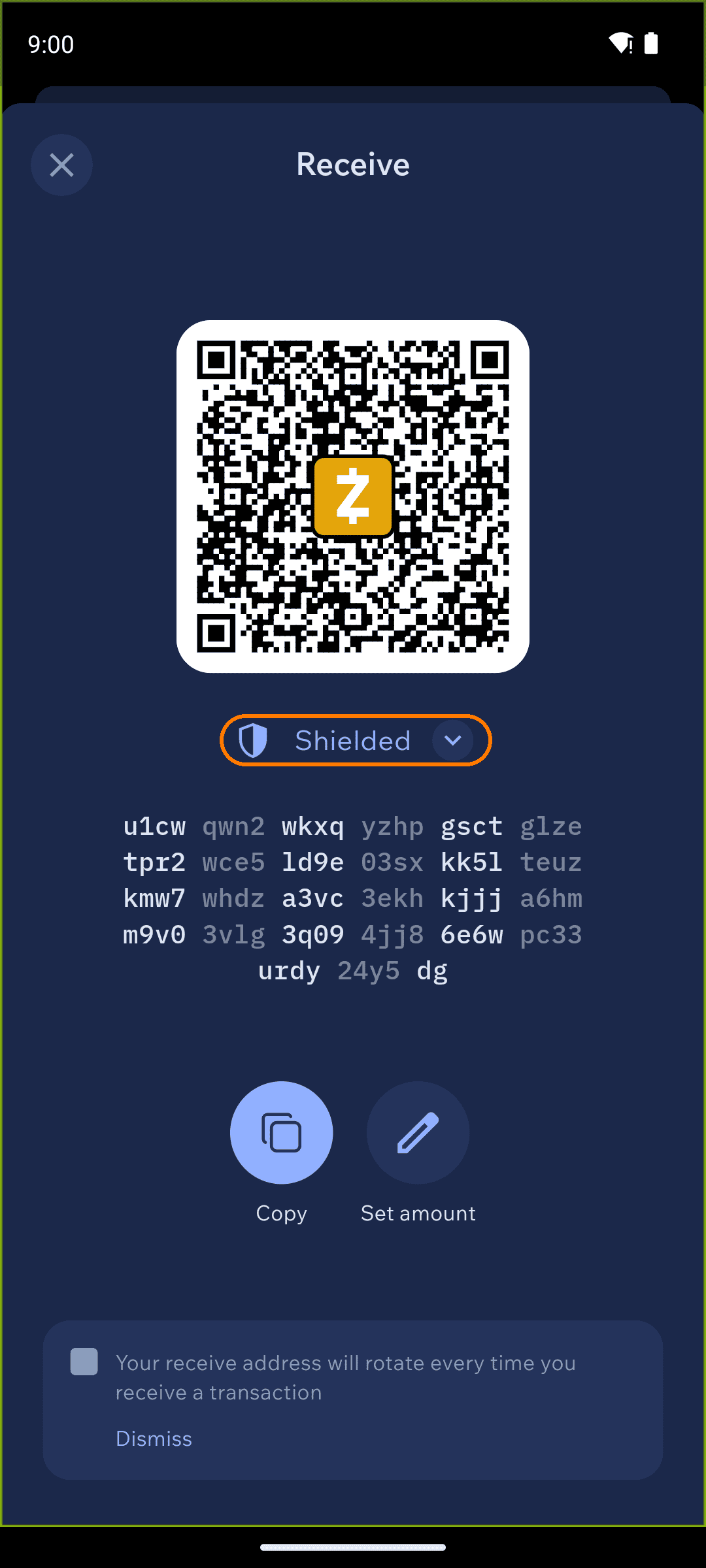
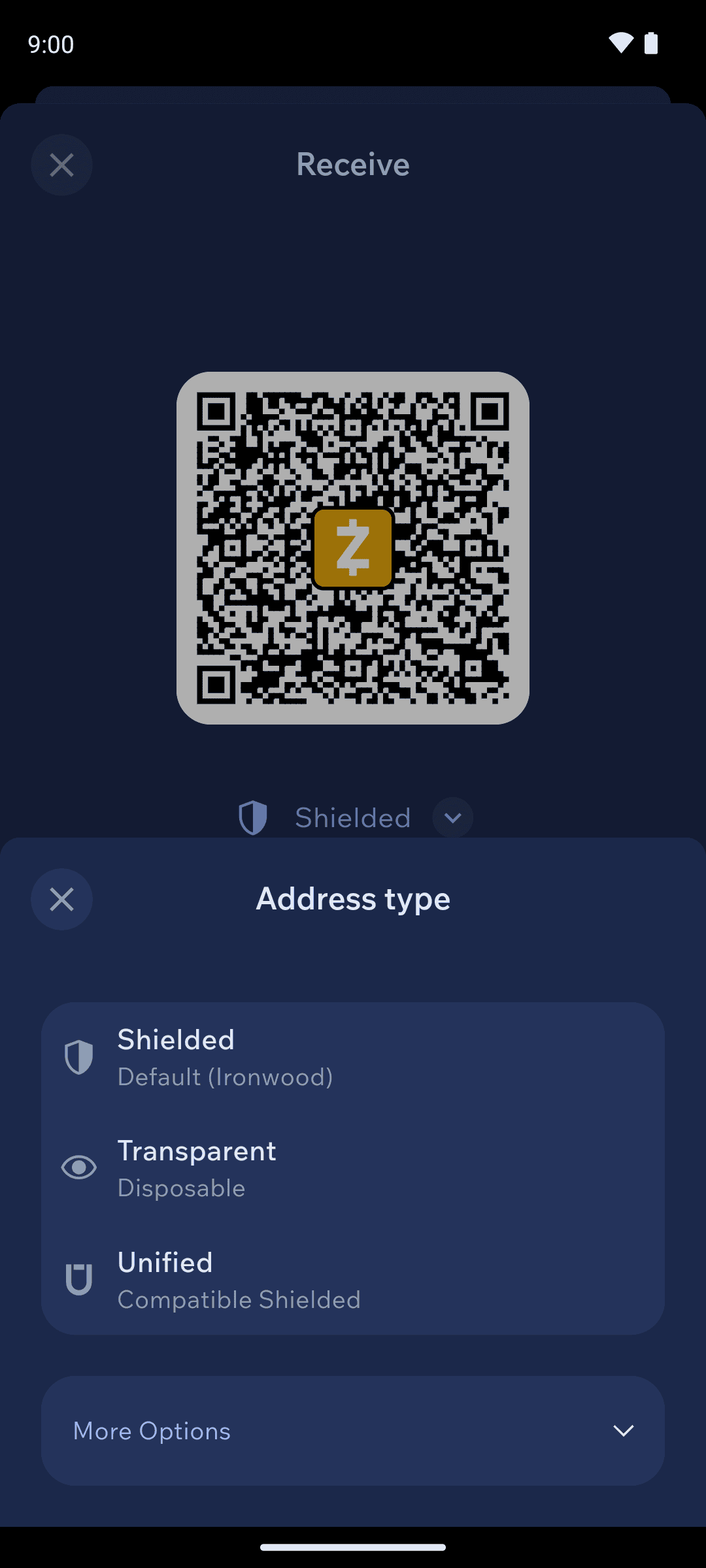
Zcash has both transparent (public, like Bitcoin) and shielded (private, encrypted) address types. Cake Wallet supports several, which you can switch between on the Receive screen:
Shielded (Ironwood) — the default. A private, encrypted address. We recommend this for most uses.
Unified — a shielded address compatible with wallets that expect a combined address format.
Legacy Shielded (Sapling) — an older shielded address type for compatibility with wallets that only support Sapling.
Transparent (Disposable) — a public address that automatically rotates. Cake generates a new transparent address after each use for better privacy. Previous addresses continue to work.
Public (Static & Transparent) — a public address that does not change. Use this only when you need a fixed transparent address.
Autoshielding
Cake Wallet automatically shields funds that arrive at your transparent addresses. When you receive to a transparent (public) address, the wallet moves those funds into the shielded pool for you, without any taps required.
This means you get the privacy of shielded Zcash even when a sender can only pay a transparent address.
Fees
Zcash network fees are paid in ZEC. Fees on Zcash are very low and are largely set by the network protocol.
You can still choose a fee priority. Under Advanced Settings → Fees on the send screen, Zcash offers five levels, in this order:
Slow
Automatic — the default, and what we recommend
Medium
Fast
Fastest
Zcash uses the same five-level priority list as Monero. Because Zcash fees are already very low, leaving this on Automatic is almost always the right choice.
Zcash on Ledger
You can add a Zcash wallet from a Ledger on Android (Bluetooth or USB) or iPhone and iPad (Bluetooth). Open version 3.9.2 or later of the Zcash app on your Ledger first, then follow Restore wallet from hardware. Your keys stay on the Ledger, and you approve every send and shielding transaction on the device.
A Ledger Zcash wallet differs from one created in Cake Wallet in a few ways:
Addresses: you can receive to
Shielded,UnifiedorPublicaddresses. The rotatingTransparentand theLegacy Shielded(Sapling) address types aren't available.Sending: sends always come from your shielded balance.
Shielding: funds at a public address are shielded only when you tap
Shield Funds, as described in Autoshielding.
Was this helpful?